
When an application is unhealthy, the useful evidence is often spread across three places: a Pod’s log stream, a guarded shell inside the container and the network path that lets you reach the Service. Opening separate tools for each task makes it easy to lose the namespace, object name or container you were investigating.
Vastanex keeps these operator workflows in one bottom terminal panel. The panel uses separate tabs for live streams and remote sessions, while the resource view above keeps the selected Pod and its details in context.
Follow the log without losing the source
A Pod is one running copy of your app, with everything it needs to run. The log stream belongs to a particular Pod and container, so the source label matters as much as the lines themselves. The app opens logs from the selected object and shows the source in the terminal tab.
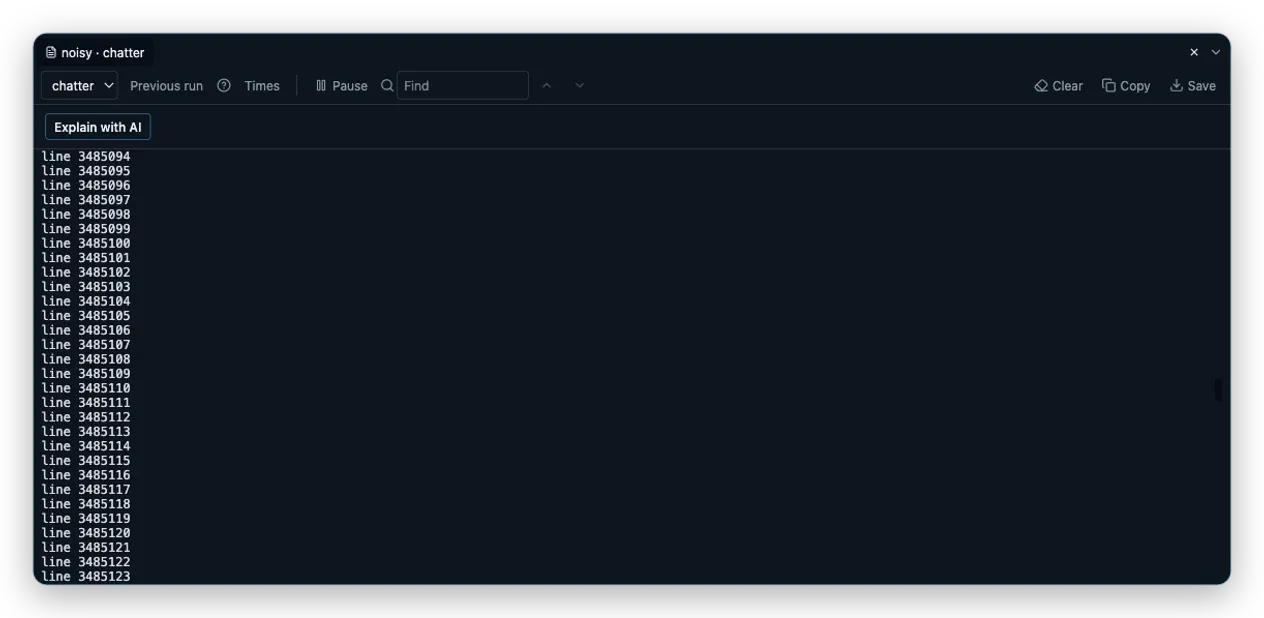
The noisy demo Pod makes the controls easy to see. Its numbered lines arrive live, and the panel exposes Find in this log, Pause and Times. Use Find for a precise line or message, turn on timestamps when the moment matters, and pause the view when you need to read what is already there. Pausing the display does not turn the stream into a different Pod or silently change its source.
The panel is bounded. Older lines can be removed as new ones arrive, and the interface says so instead of pretending that the visible buffer is the complete history. That is a useful distinction during an incident: a live tail is for current evidence, while durable history belongs in the logging system that owns it.
The terminal can collapse without ending the session. You can give the detail drawer more room, reopen the panel by selecting its tab and continue with the same stream. Closing the tab releases the API stream. The app keeps the lifecycle attached to the window so a forgotten drawer does not leave an unbounded watch running in the background.
Ask a harmless question in a shell
Logs answer what the process printed. Sometimes you also need to check the environment that produced the line: a path, a file, a user id or a small command’s output. The Pod row menu can open a shell for the selected container after you explicitly turn on Allow changes, and the panel tells you which shell it reached. The entry is also subject to the cluster’s create pods/exec permission; an attach session uses create pods/attach and remains available in read-only mode.
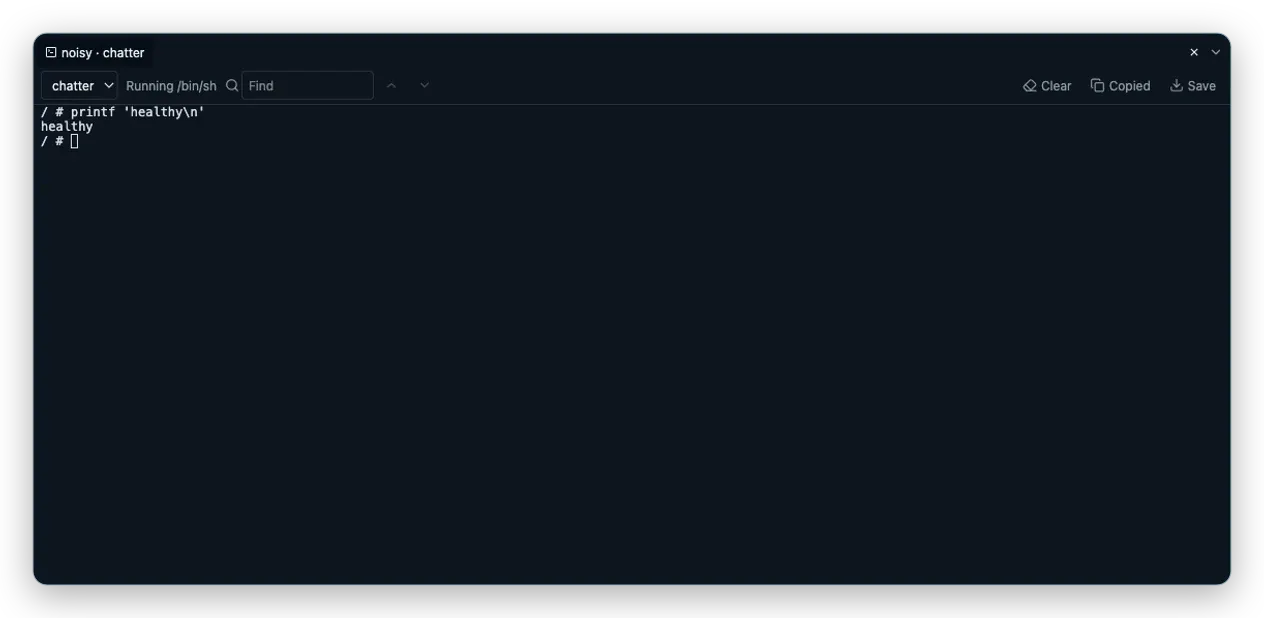
The capture above runs printf 'healthy\n' in the busybox container after the demo turns Allow changes on for this cluster. It is intentionally harmless. Vastanex first tries the guarded shell paths and falls back to /bin/sh when the image does not provide /bin/bash; the panel makes that result visible as Running /bin/sh. The command output stays in the same terminal context as the Pod that you opened.
This is a focused troubleshooting tool, not a hidden automation channel. Keep commands small and review them before pressing Enter. A shell has the permissions of the container process and can affect the workload; read-only app mode blocks starting a new shell but does not make a command typed into an allowed remote shell harmless.
Make a local Service reachable
A Service is one stable address that reaches whichever copies of your app are healthy. When you need to test an HTTP response from your own machine, Vastanex can forward a Pod or Service port to a loopback address. Port forwarding is a read-only operation, still subject to the cluster’s create pods/portforward permission. The forward stays local to 127.0.0.1, and the status-bar list gives you a place to inspect or stop it.
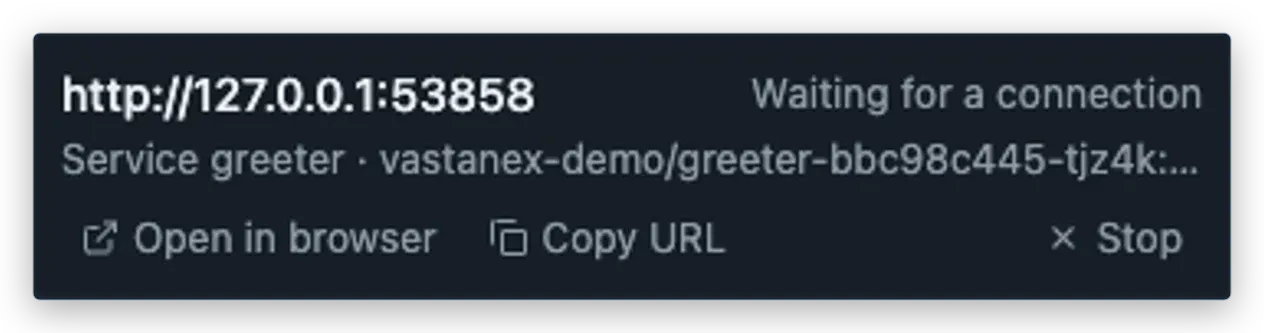
The greeter example forwards the Service’s port, shows the Pod that accepted the connection and exposes Open and Stop controls. A Service can point at a named target port, so the app resolves the Service and Pod details before opening the tunnel. That is why the entry can tell you both the stable Service name and the selected backend.
Forwarding is useful for a quick local check, a development-only dashboard or a response that should not be exposed publicly. It is not an ingress configuration and it does not publish the Service to the internet. Stop the forward when you are done; the app releases the local listener and the container conversation.
What it does not do
The log panel is not a central logging backend. It shows a bounded live stream from the selected container, and a paused or collapsed view does not make the stream durable. The shell is not a substitute for a controlled runbook, and a command still has the permissions of the container.
Read-only mode leaves logs, attach sessions and port forwards available, but it does not open an interactive shell. Attach is deliberately read-only, not an interactive shell. A port forward reaches a Pod directly, binds to loopback and is released when stopped; it is not public networking, an ingress controller or proof that a Service is healthy for every client. The examples use a local fixture, not a production cluster, and the visible healthy line is a harmless shell check rather than a diagnosis.
See the Problems-first workflow when you need to start from a failing object, or download the desktop app to keep logs, a guarded shell and a local forward close to the same investigation.