
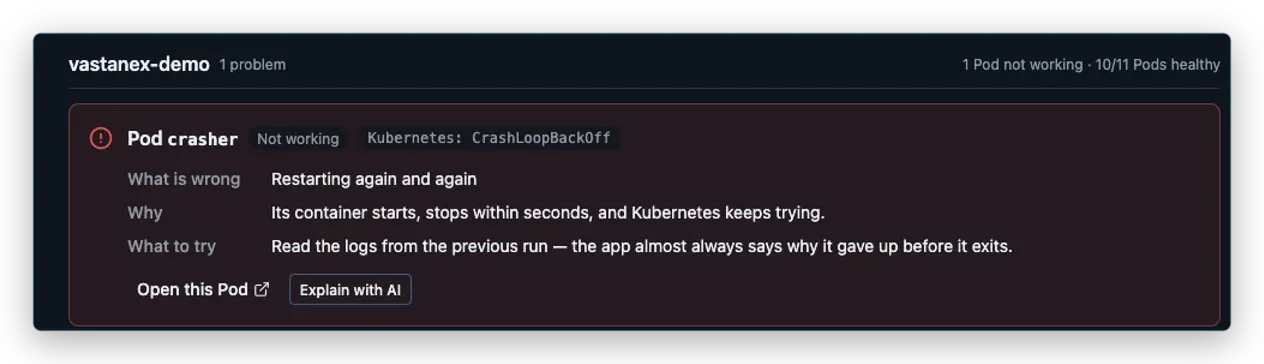
When a Kubernetes workload is failing, the first screen often gives you a status word and leaves you to work out the story. CrashLoopBackOff is accurate, but it does not tell you which object to open, what Kubernetes has already observed or what to check next. That gap is where troubleshooting time disappears.
Vastanex starts with the thing that needs attention. Its Problems view groups actionable failures and puts a plain-language explanation beside the raw Kubernetes state. You can begin with the symptom without losing the technical detail your team will need later.
Start with a problem, not a wall of YAML
A Pod is one running copy of your app, with everything it needs to run. When a Pod repeatedly starts and stops, Kubernetes may show CrashLoopBackOff: the container has failed, and Kubernetes is waiting before trying again. The status is useful evidence, not a diagnosis on its own.
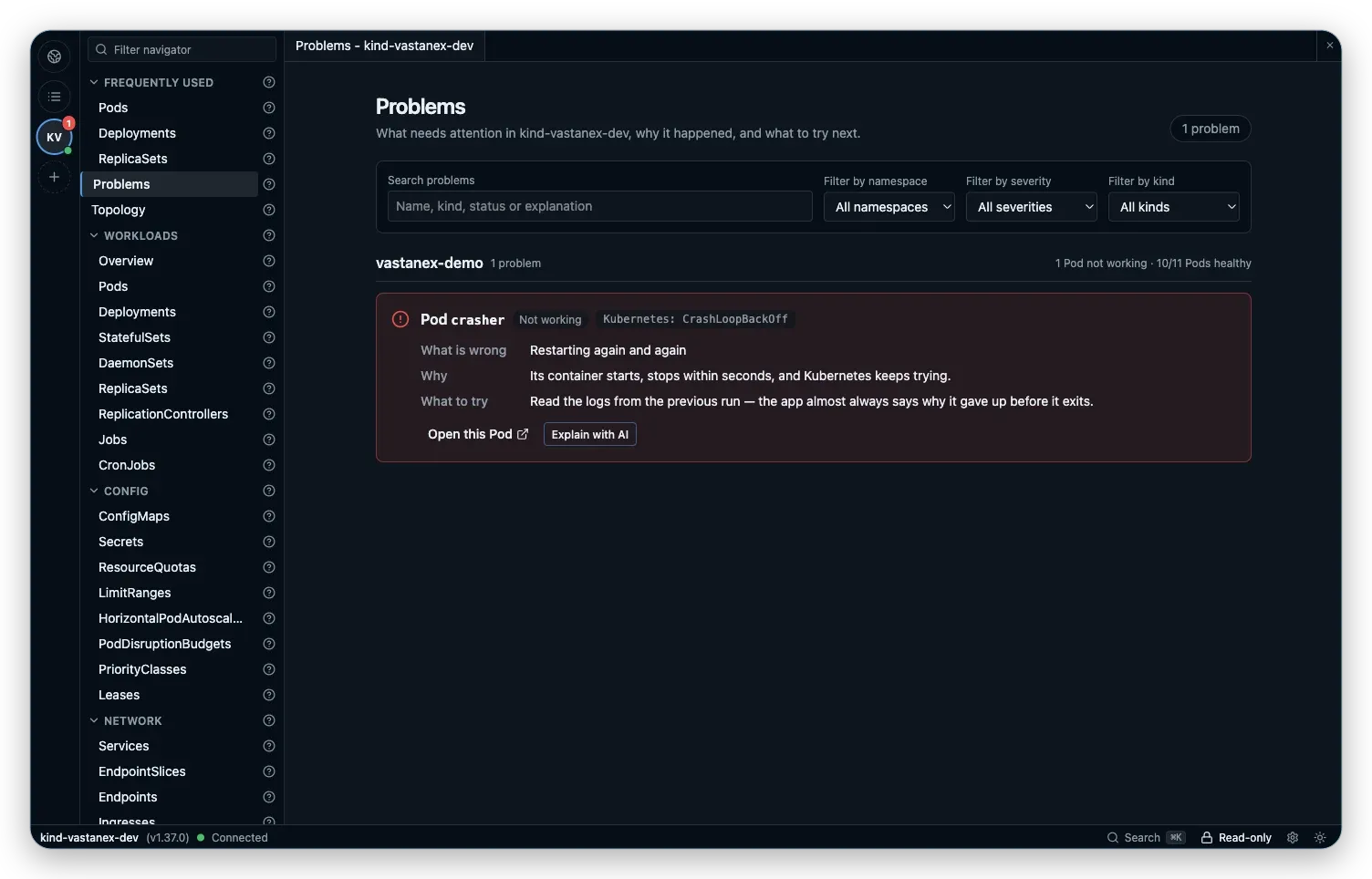
The Problem card keeps four things together: the object identity, what went wrong, why it matters and What to try. In the local example above, the object is the crasher Pod. The raw state remains visible beside the explanation, so a reader can use the friendly sentence in a conversation and still copy the Kubernetes term into a search or incident note.
This is a small but important change in order. You do not have to know which resource list contains the failure before you can investigate it. You can search the bounded result list, filter by namespace when that is useful and open the exact object from the card. The app keeps the scope and object name attached as you move forward.
Follow the same object into its evidence
The explanation is a starting point. It is not a claim that the app repaired the Pod. Select the Problem and Vastanex opens the corresponding detail drawer, where the raw object and its surrounding evidence stay together.
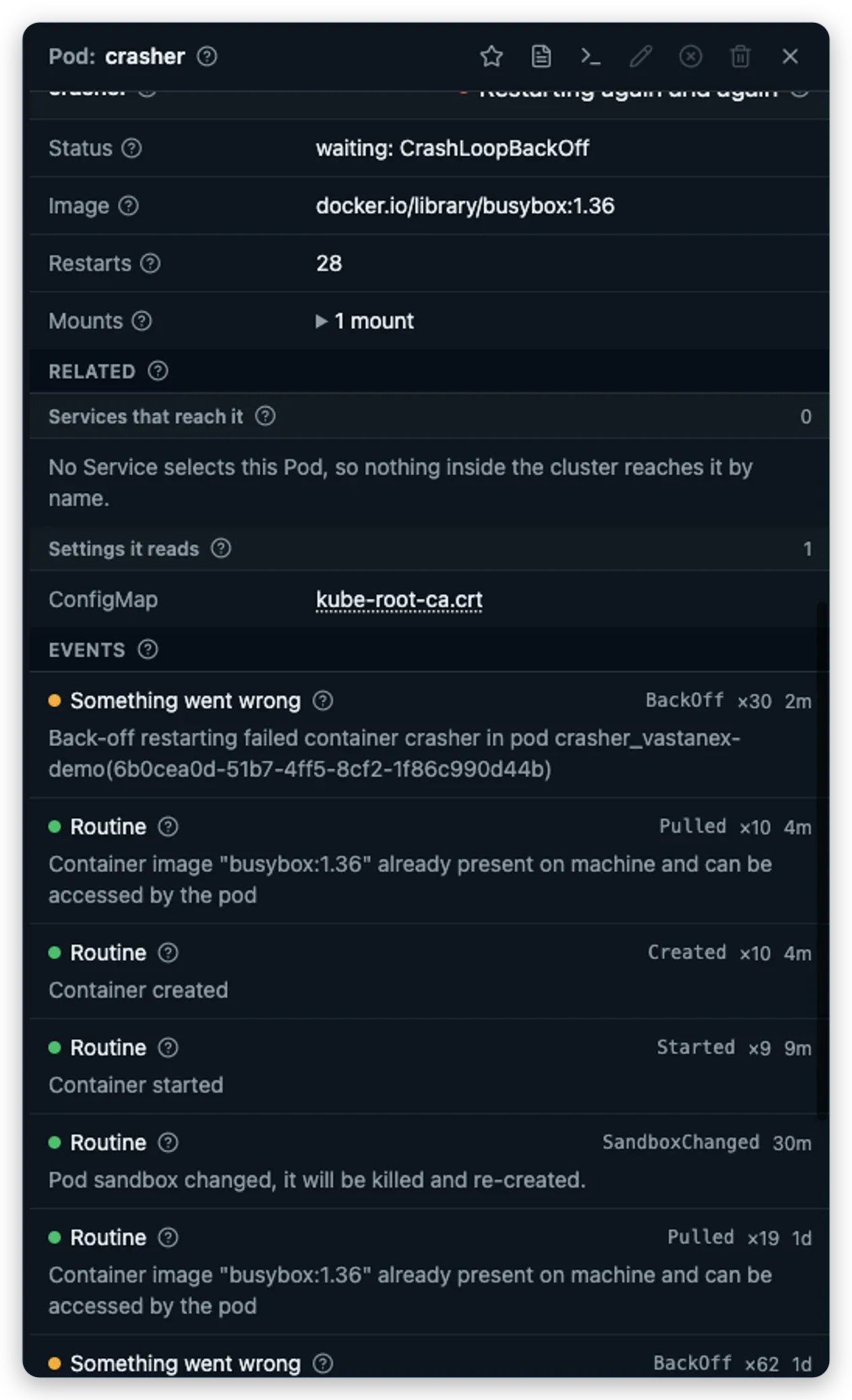
The drawer can show the fields Kubernetes returned, owner links when they exist, Events and other sections relevant to that kind. For the bare crasher Pod, the Events section contains a real BackOff record from the local cluster. That record tells you Kubernetes has been backing off its restart attempts. It is evidence about this Pod, not a made-up explanation borrowed from a different workload.
The distinction matters when you are moving quickly. A log stream from another Pod can prove that streaming works, but it cannot explain why crasher failed. An owner link from the web Deployment can explain how that separate workload is managed, but it does not make crasher part of that Deployment. The screen should keep those identities separate, and the troubleshooting path should do the same.
Keep the raw terms available
Plain language is most useful when it gives you a bridge to the Kubernetes vocabulary, not when it hides it. Vastanex keeps CrashLoopBackOff, object names and the other raw values visible next to the explanation. That makes the app useful to someone who is still learning Kubernetes and to the teammate who already knows exactly which status field they want to inspect.
The same approach continues in the detail drawer. You can read the current value, follow a related object and inspect Events without leaving the app for every small question. If the next step is to inspect logs, the app can open the live stream in its terminal panel. If the next step is a change, the separate safety controls make that decision explicit rather than turning an investigation click into a write.
What it does not do
The Problems view is not an automatic root-cause system and it does not promise to fix a failing Pod. It detects a bounded set of actionable conditions and explains what the app can observe. A partial or unavailable source is not presented as healthy. The suggested next step is guidance for an operator, not a Kubernetes action that runs by itself.
The crasher example is a bare Pod with no controller owner. Its real BackOff event is evidence from that object, not proof of a particular application bug. Metrics are optional, and missing metrics stay missing. The right next step still depends on the cluster, the workload and the operator who owns it.
Start with the Download page to see the current desktop availability, then read the note on deliberate Kubernetes changes or keep investigating with logs, a shell and a local port forward.