
“Privacy-first” should describe an architecture and a set of observable boundaries, not a legal conclusion. When you evaluate a Kubernetes GUI, ask where kubeconfig credentials are read, which data can leave the computer, what happens when a permission is missing and whether a write is possible before you explicitly approve it.
Vastanex describes those boundaries in its Privacy page and Customer Terms. This guide explains the technical questions behind them. It does not say that any product is GDPR-compliant, secure for every cluster or suitable for every organisation.
Keep cluster access at the app boundary
A privacy review should start with credentials. Vastanex reads the kubeconfig and talks to the Kubernetes API from the main process. The renderer receives a typed, bounded application surface rather than a kubeconfig, bearer token, client certificate or arbitrary Node capability. Secret bodies stay redacted by default; a user must explicitly reveal one specific field before its value is shown.
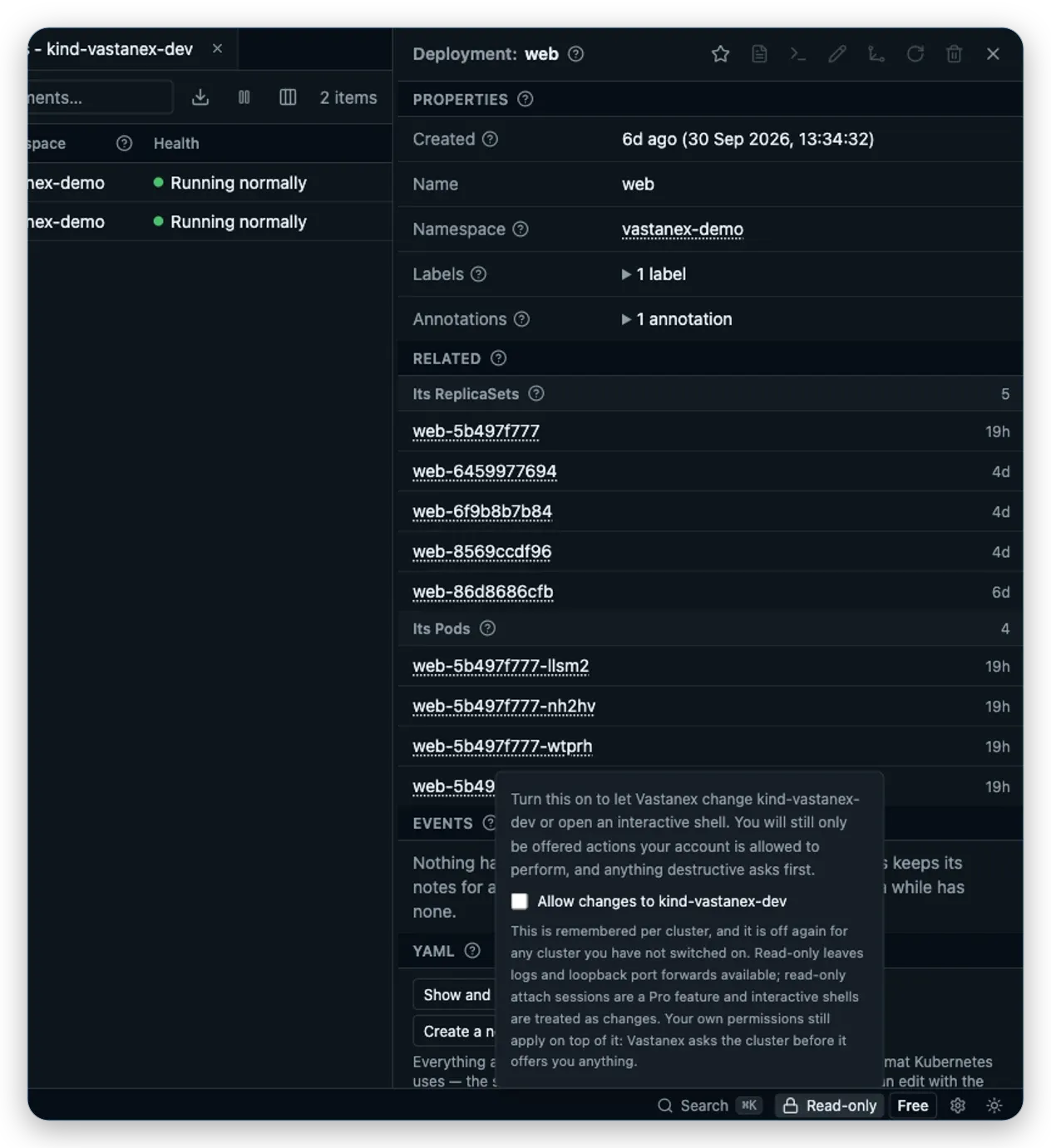
The screenshot below shows a related user-facing boundary: a connected context starts read-only, and the disabled action explains that changes must be allowed explicitly. The image proves that visible state, not the transport implementation; the transport and redaction behavior are also covered by source checks and gates.
Treat Secrets and copies as special
A table or drawer can expose useful operational values without becoming a credential viewer. Names, labels, status and other visible values can be selected or copied. Secret bodies do not appear in normal resource tables. The Secret reveal surface is field-specific and does not provide a generic copy button. That distinction matters when a screenshot, support handoff or clipboard could outlive the immediate investigation.
The same rule applies to website proof. Accepted screenshots come from the built app against a dedicated local kind fixture and pass a privacy guard that refuses home paths, unexpected cluster names, URLs and token-shaped values. A screenshot is evidence of the displayed state; it is never a reason to relax redaction.
Make non-cluster egress understandable
The desktop app has no automatic telemetry or background crash upload. Its registered non-cluster purposes are narrow: release update checks, provider-backed licence activation or refresh and an opt-in AI troubleshooting advisory. Each purpose has a configured destination, a bounded data description and a stated trigger. Cluster data is not sent to update or licence services. AI context is selected and reviewed by the user before one request, and Secret bodies and kubeconfig credentials are excluded.
Do not confuse that app boundary with the public website. The website uses Google Analytics 4 only after explicit Analytics consent. Before consent, the site does not load the Google tag, create Analytics cookies or send Analytics requests. Rejecting or withdrawing optional Analytics remains available from Privacy settings. Read the public Privacy page for the current website and desktop-app facts rather than treating a product screenshot as a legal notice.
Keep writes deliberate and permission-aware
Read-only by default is a useful privacy and safety question because it makes the action boundary visible. Vastanex keeps scaling, restarting, editing, deleting and interactive shells behind the per-cluster Allow changes switch, the cluster’s RBAC decision and the relevant confirmation. A user who cannot perform an action sees a permission-aware disabled or forbidden state. Logs, non-interactive attach and loopback port forwarding remain separate read-oriented operations with their own Kubernetes permissions.
This is not a promise that a shell is harmless. Once an operator explicitly allows an interactive shell, commands have the container process’s permissions. A privacy-first GUI should make that transition conspicuous and should not describe a confirmation dialog as proof that the later command is safe.
Prefer bounded evidence over hidden collection
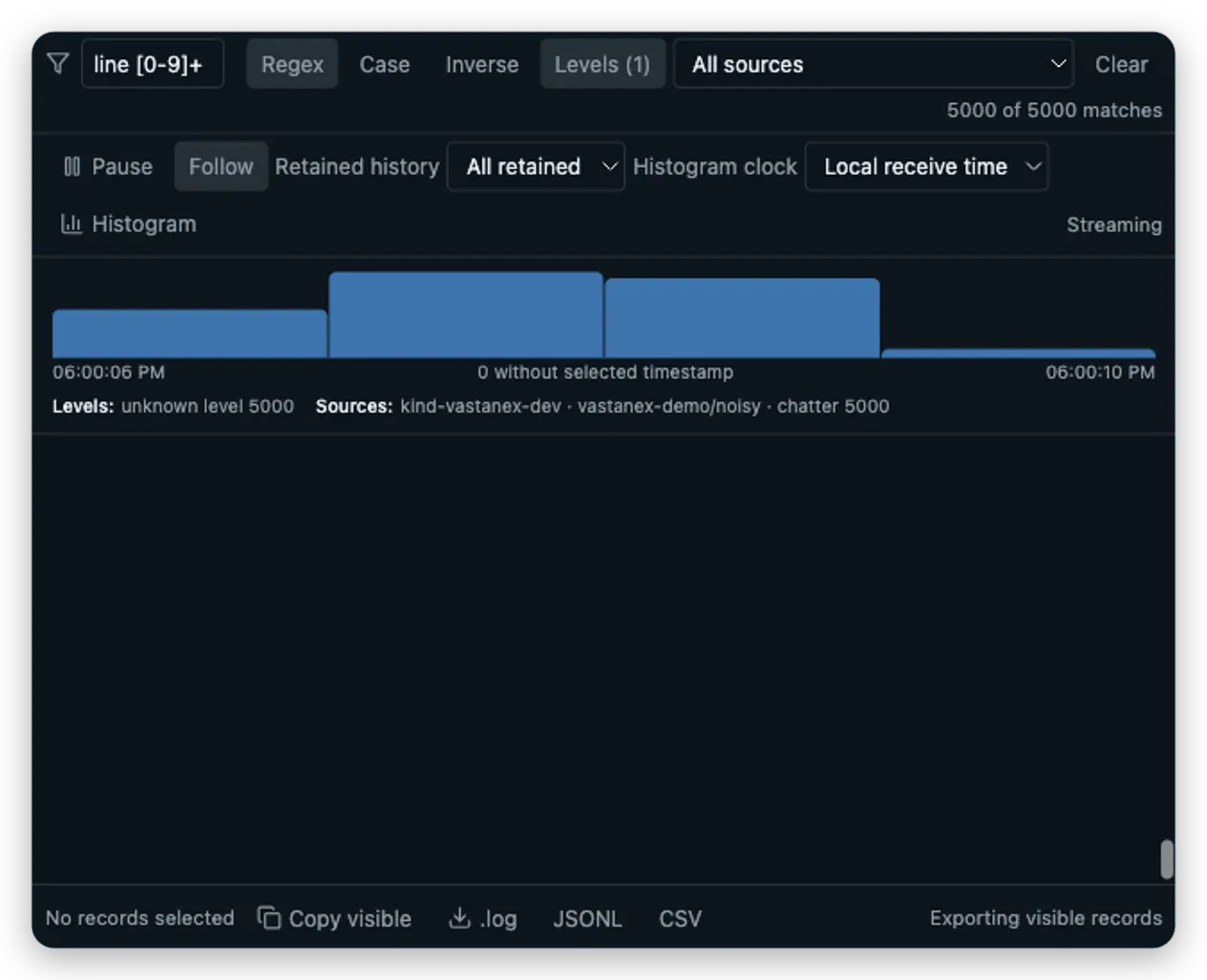
The Log Explorer shows which Pod, namespace, container and cluster supplied each retained record. Its buffer, filters and exports are bounded, and partial, malformed, truncated, dropped and disconnected states remain visible. That is useful for checking what the app is holding in the current view without implying a server-side logging archive.
Optional metrics and cost context should be equally explicit. A provider-backed reading is reached through the selected cluster’s Kubernetes Service proxy, not an arbitrary URL field. If no supported OpenCost or Kubecost provider exists, the app says so and does not infer prices or savings.

What it does not do
This guide is not a security certification, penetration test or legal advice. The app’s source and gates establish specific boundaries: local main-process Kubernetes access, typed preload calls, default Secret redaction, no automatic desktop telemetry, bounded provider paths and user-controlled writes. They do not prove that a cluster’s RBAC policy is correct, that an operator will never copy sensitive data, or that every provider behaves safely.
The local images show accepted app states, not a production-cluster result. Review the current Privacy page, the relevant permissions and your organisation’s policies before connecting a real cluster.
Read Read-only by default for the action boundary, or download the desktop app when you are ready to inspect the local behavior yourself.