
A Kubernetes desktop client is a local application for inspecting and operating one or more clusters from your computer. It normally reads a kubeconfig, talks to the Kubernetes API and turns objects, Events, logs and permissions into a navigable interface. It can make an investigation easier to follow, but “desktop client” is a category, not a guarantee of a particular security model or feature set.
The right question is not whether a desktop client replaces every Kubernetes tool. It is where the client helps, where another tool is a better fit and what the application can prove about its access, actions, package and network behavior.
What a local desktop client changes
The first benefit is continuity. A client can keep the selected cluster, namespace, object and container visible while you move from a resource list to a detail drawer, an Event or a log stream. That reduces the chance of investigating a similarly named object in the wrong place. A good client also keeps raw Kubernetes values beside any plain-language explanation, so the friendly summary is not a replacement for the underlying state.
The second benefit is an explicit operator workflow. Problems can be grouped by severity, evidence can stay attached to the object and a write action can show its consequence before it runs. These are workflow choices, not proofs that the app has diagnosed a root cause. The API, permissions and optional providers still decide what is available.
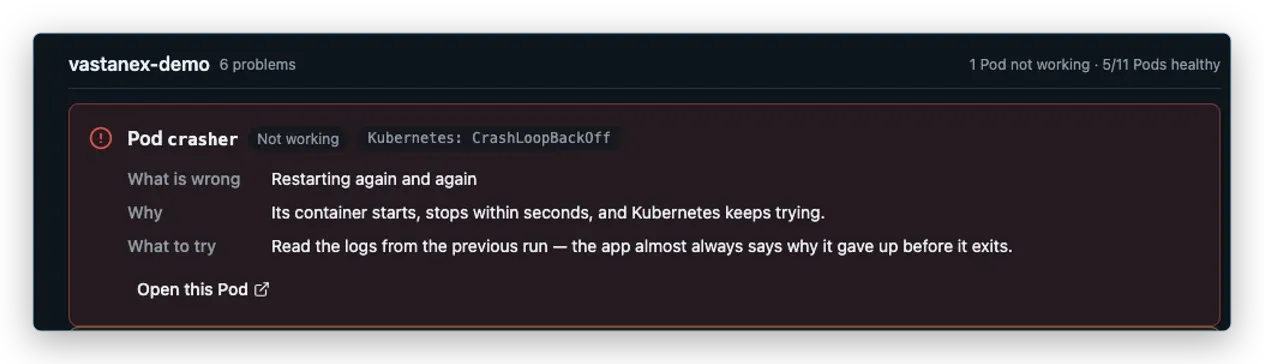
Vastanex starts from the kubeconfig context you choose and opens in read-only mode. Its Problems view puts unhealthy objects and a suggested next step first. Its tables and detail surfaces retain raw values, while source identity follows logs and aggregate views.
When kubectl is the better tool
The official kubectl reference is still the better starting point when the task is precise, repeatable or meant for automation. Use kubectl when you need a shell script in CI, an exact JSONPath or custom-columns query, a pipeline into another command, a manifest applied from version control or a command that must be reviewed as text. A desktop surface should not hide the fact that those jobs are often clearer at the command line.
The tradeoff runs in the other direction during exploration. A GUI can make relationships, permission wording, Events and a bounded stream easier to inspect without remembering every resource spelling. The two approaches can complement each other: investigate in a client, then use a reviewed command or manifest when the next step belongs in automation.
When an in-cluster web UI is the better tool
An in-cluster web UI can be the better choice when a team needs one centrally managed surface for many people, when operators cannot install desktop software, or when access must be delivered through an existing browser and identity layer. It can also fit a shared environment where the organization owns the deployment, upgrades and network route.
That convenience brings questions of its own. Which namespace and cluster permissions does the service use? How is browser access authenticated? Where are logs and connection details processed? What happens if the service is unavailable? A browser URL is not automatically safer than a local app, and a local app is not automatically safer than an in-cluster service. Compare the actual trust boundary, deployment ownership, network exposure and RBAC behavior.
Questions to ask before choosing a client
Start with access. Does the client use the kubeconfig you expect? Does it keep contexts separate? Does it respect Kubernetes RBAC and explain a 403 in terms an operator can act on? The Kubernetes kubeconfig documentation is a useful reference for the context and credential model that sits underneath a desktop client.
Next, inspect change control. Is read-only the default? Does a write require an explicit switch, the current user’s permission, a dry-run or diff and confirmation? Are shell and attach treated differently, since one starts a process and the other can be read-only? A safe-looking button is not the same as a safe action sequence.
Then check evidence and availability. Logs, Events, metrics and cost data may come from different API resources or providers. Ask whether the client names the source, caps retained history, marks a missing provider as unavailable and avoids turning a signal into a diagnosis.

Finally, read the privacy and package story. Look for automatic telemetry, crash uploads, update requests, optional AI requests and what leaves the machine. For a desktop package, check the exact platform artifact, supported operating system, signatures, hash and whether platform trust such as notarization is actually present. “Available for macOS” is only the beginning of the check.
How Vastanex fits the category
Vastanex is a Windows, macOS and Linux desktop app for a Problems-first investigation workflow.
It keeps the chosen source attached to resource views, detail, logs and aggregate read-only views.
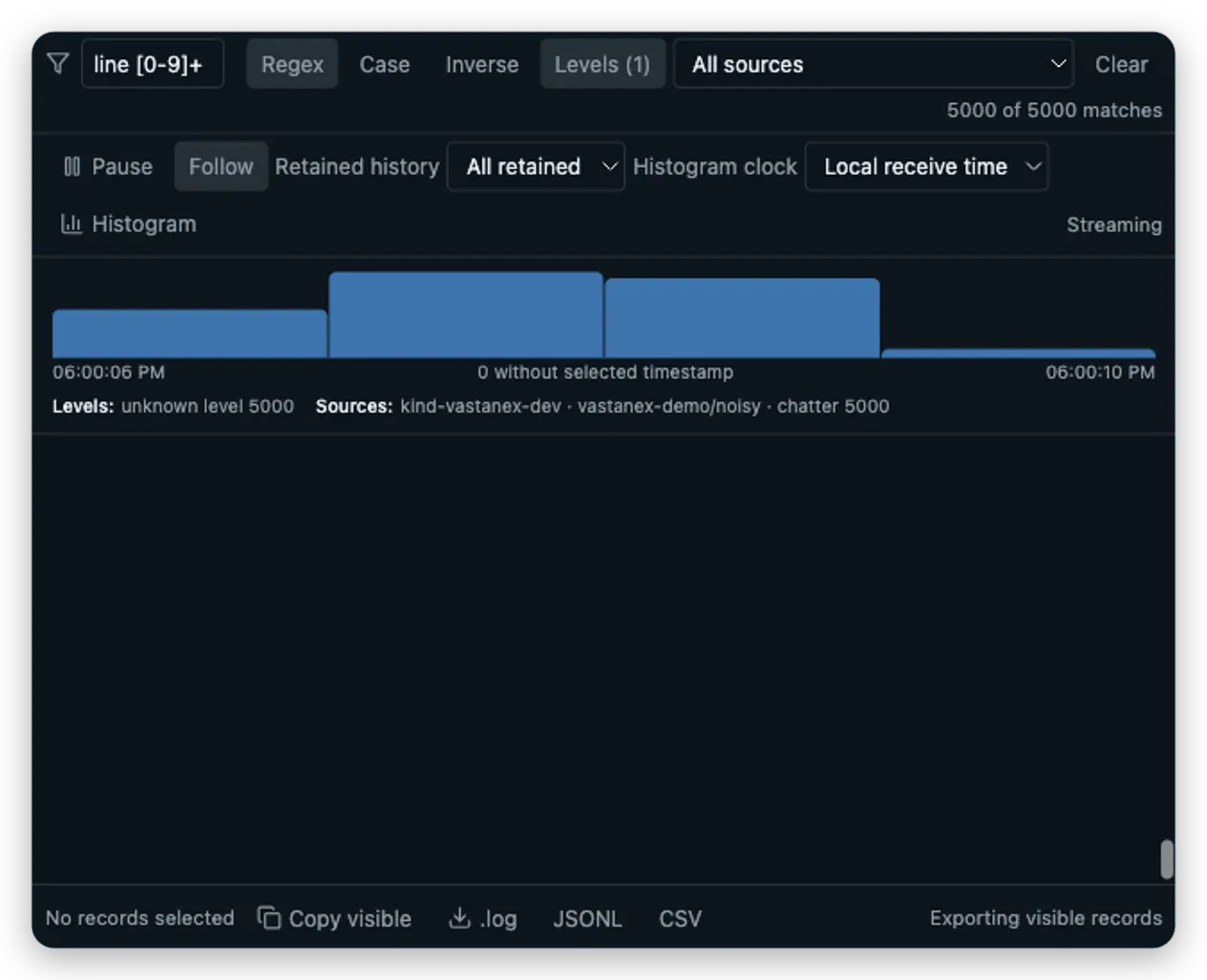
The Log Explorer supports bounded text, regex, level and source filtering, Pause versus Follow,
a local histogram and .log, JSONL and CSV export. The Capacity view keeps usage, allocatable
capacity, requests and limits separate and says when an optional provider is absent.
The write boundary is deliberate: Allow changes, entitlement, RBAC, dry-run, exact diff and confirmation are separate checks for supported actions. The app has no automatic telemetry, crash upload or background diagnostics reporting. It does not claim to be an in-cluster web UI, a hosted logging backend, a complete metrics service or a general resource-diff tool.
What it does not do
This category guide is not a claim that one deployment model wins. It does not compare products by speed, market share, customer count or unverified security properties. A local capture proves only the app state shown in the dedicated fixture. Provider-backed metrics or cost evidence remains conditional on the cluster. The verified Stable 1.0.0 package uses the production Live licence issuer and official checkout; Free investigation and the local first-use 14-day no-card trial remain available.
Use the Mac-focused selection guide for package and macOS questions, or visit the Download page to inspect the current release artifacts and first-launch guidance.