
YAML is the most complete description of a Kubernetes object, but editing it safely takes more than opening a text box. A small change can affect selectors, containers, ownership or the number of copies that run. The useful workflow is to see what changed, ask the API server to validate the draft and only then decide whether to apply it.
Vastanex keeps those decisions separate. Open the object’s YAML, make a small edit and choose Review changes. The editor shows the difference between the object you read and the draft you are considering. The raw document stays available, but the change is no longer hidden inside a long editor buffer.
Start from the live object
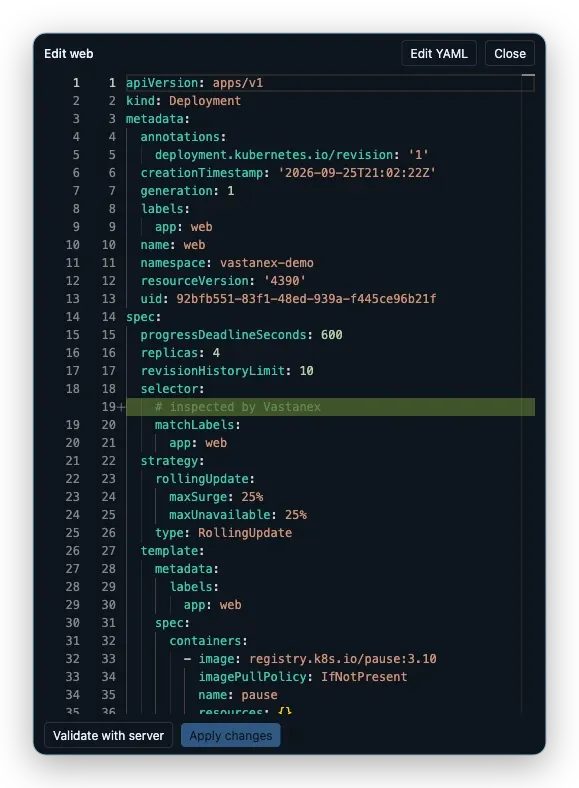
In the local example, the target is the web Deployment in vastanex-demo. The detail drawer already provides the object identity and current evidence. The YAML section starts from that live object rather than an unrelated pasted document, so the editor can preserve the resource version used for conflict detection.
The example edit is harmless: a comment is added to the document. It changes the text that the operator reviews without changing the Deployment’s desired state. The important part is the sequence, not the comment. Review changes makes the exact edit visible before any request reaches Kubernetes.
The editor still keeps the familiar Kubernetes vocabulary. You can read apiVersion, kind, metadata and the spec as the API expects them. Vastanex adds a safer order around those fields; it does not translate the document into a lossy summary.
Let the server check the draft
After reviewing the diff, choose Validate with server. This runs a server-side dry-run, so the API server evaluates the draft without persisting it. The result is more useful than a local syntax check alone because it uses the cluster’s discovery, schema and admission behavior.
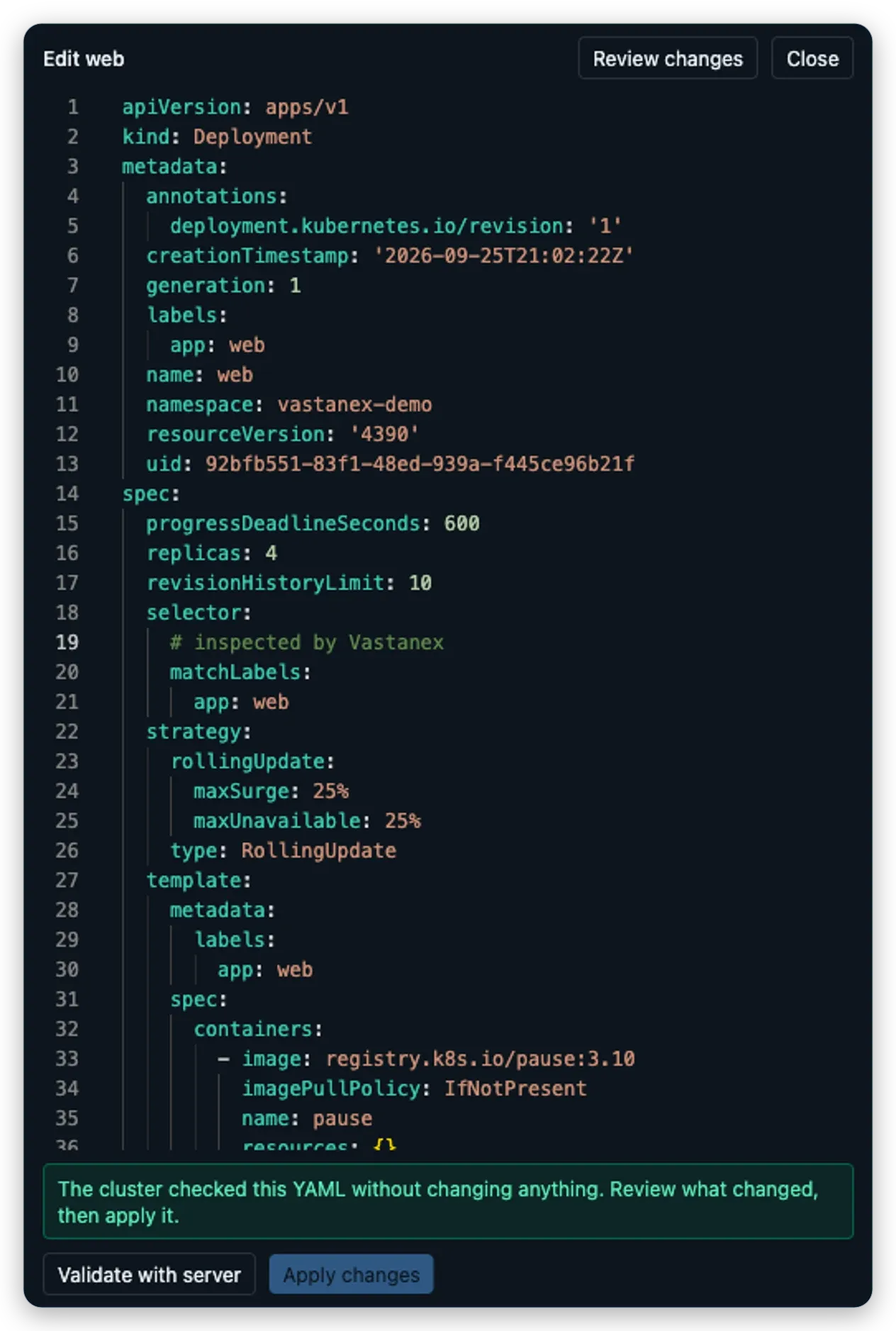
The success message is deliberately plain: the cluster checked the YAML without changing anything. The example capture stops there. It proves the validation path while leaving the local Deployment and its screenshot fixtures untouched.
If the draft is not valid, the editor keeps the error visible and exposes technical details as a secondary layer. That gives you a human-readable next step without throwing away the server’s actual response. If the object changed elsewhere while you were editing, the resource-version check can report a conflict instead of applying an old document over newer work.
Keep apply as a separate decision
Apply changes is not the same button as dry-run. It remains gated by the per-cluster read-only setting, Kubernetes permissions, confirmation, YAML parsing, a successful dry-run and the conflict check. A user can inspect the diff and ask the server to validate it without turning that inspection into a write.
That separation is useful in a review. The person who notices a problem can prepare the draft and show the evidence. The person responsible for the cluster can decide whether the apply is appropriate. The app’s confirmation is a final deliberate step, not a replacement for understanding what the YAML means.
The same editor can also be used to create an object from YAML, but creation still follows the same guarded path. The interface does not make a write safe merely by placing it beside a readable document.
What it does not do
The YAML editor does not guarantee that a change is operationally correct just because the API server accepts it. Dry-run validates the draft against the cluster’s checks; it does not observe a rollout, prove that traffic is healthy or decide whether the change fits your application.
This post’s proof stops before apply. No production cluster is involved, and the local web Deployment is not changed by the screenshot run. Read-only mode, RBAC and confirmation still decide whether a real apply can proceed.
Start with the Download page to see the current desktop availability, then read how changes remain deliberate in read-only mode or inspect the relationships around a workload.