
“Best Lens alternative” is not one decision. It can mean a local desktop IDE, a web UI that can also run on the desktop, a terminal workflow, an open-source Lens fork or a tool that starts with the failing object instead of a resource browser.
This guide is a workflow map, not a leaderboard. The candidate facts were checked against official first-party sources on October 6, 2026. Prices, packages, licensing and feature placement can change. The useful question is which boundary matches your work.
Start with the workflow
Before comparing names, decide what you actually need:
- Where should the UI run? A local desktop app, a web UI, an in-cluster deployment, or a terminal may have very different operational and access consequences.
- How should reads and writes feel? Check whether the tool reflects Kubernetes RBAC, offers a read-only mode, and makes the consequence of a write visible before it happens.
- What counts as evidence? Logs, Events, metrics and cost data may depend on different APIs or providers. Ask whether history is bounded, whether source identity stays attached and what is labelled unavailable.
- What can you extend? A plugin system, declarative configuration and a terminal command are different kinds of extensibility. Do not treat them as interchangeable.
- What can you verify? Check the license, package source, supported platforms and support terms from the project’s current official pages. This guide does not infer signing, security or support quality from a download button.
Which Lens alternative fits which workflow?
Lens: the closest fit if you want the Lens ecosystem
Lens remains the reference point for this search. Its official product and documentation pages describe a cross-platform desktop IDE with resources, logs, Events, metrics, a Smart Terminal and cloud integrations. Its current pricing separates the free Personal plan from paid Plus, Pro and Enterprise plans; features such as Ask AI, GitOps and some integrations are placed in paid plans.
Choose Lens when its ecosystem, cloud integrations, premium AI/GitOps surface and extension model are the thing you want to keep. Do not assume that “free” means every feature is included: read the current plan table and organization-use terms before deciding.
Aptakube: a broad desktop GUI with simultaneous-cluster work
Aptakube describes a macOS, Windows and Linux desktop app that connects to multiple clusters at once. Its official site highlights an aggregated log viewer for live and historical logs, CPU and memory metrics through metrics-server or Prometheus, YAML and quick actions, and resource diff. Its pricing page currently lists a Personal subscription and an all-features plan for that user subscription.
Choose Aptakube when a broad everyday GUI, simultaneous clusters and aggregated logs are central. Check the API and provider dependencies in your own cluster. Do not choose it on the site’s “best” wording as if that were an independent ranking; no benchmark is part of this guide.
Headlamp: a web-and-desktop UI with Kubernetes project roots
Headlamp’s official site and repository describe a user-friendly, extensible Kubernetes UI that can run as a desktop app, a web app or in a cluster. The project documents Windows, Linux and Mac desktop distribution, RBAC-aware controls, multi-cluster support and plugins. Its repository says Headlamp is part of the Kubernetes SIG UI project and is released under Apache 2.0.
Choose Headlamp when you want the option of a local desktop experience and an in-cluster or web UI, or when its plugin and Kubernetes-project context fit your organization. If your requirement is a strictly local-only tool with no in-cluster deployment path, its broader deployment model may be more than you need. That is a workflow inference, not a claim about product quality.
K9s: a terminal-first Lens alternative
K9s is a different shape of tool. Its official repository describes a terminal UI that continually watches Kubernetes and offers commands for observed resources. The repository documents Linux, macOS and Windows installation, a read-only mode, and an Apache-2.0 license.
Choose K9s when keyboard-driven terminal work, low ceremony and a small command-oriented surface matter more than a visual desktop dashboard. Do not choose it expecting the same visual drawer, responsive screenshot or GUI comparison workflow as a desktop app; the terminal UI is the point.
Freelens: an open-source standalone desktop option
The Freelens repository describes a free, open-source standalone Kubernetes UI for macOS, Windows and Linux. It identifies itself as a fork carrying forward the open-source version of Open Lens, shows an MIT license and points users to release packages, including macOS, Linux and Windows artifacts.
Choose Freelens when an open-source standalone desktop application and the Open Lens lineage are important constraints. Do not infer a particular support contract, package-signing policy, privacy boundary or feature parity from the repository description alone. Those questions need their own current checks.
Vastanex: a Problems-first, evidence-attached workflow
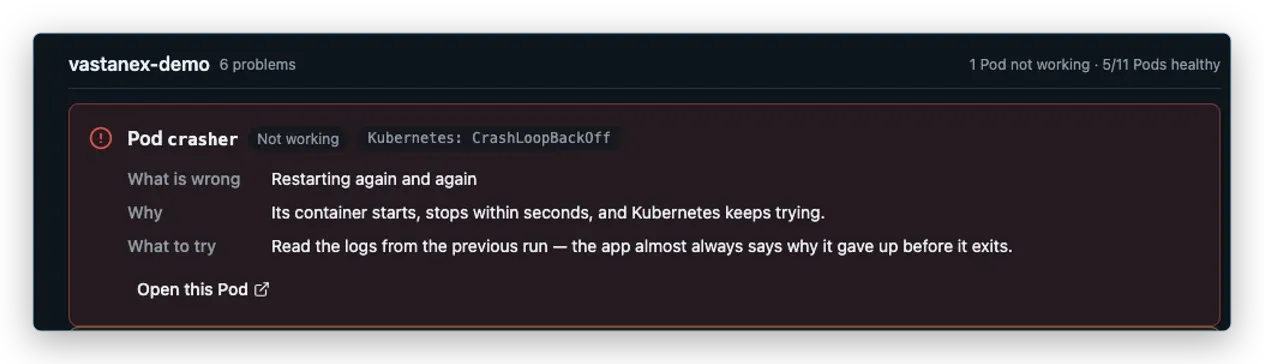
Vastanex is the fit to inspect when your starting question is “what needs attention, and what should I look at next?” The accepted local proof keeps a plain-language Problem, raw Kubernetes state and the suggested next step together. The app is read-only by default, and supported changes keep Allow changes, RBAC, server dry-run, exact diff and confirmation as separate gates.
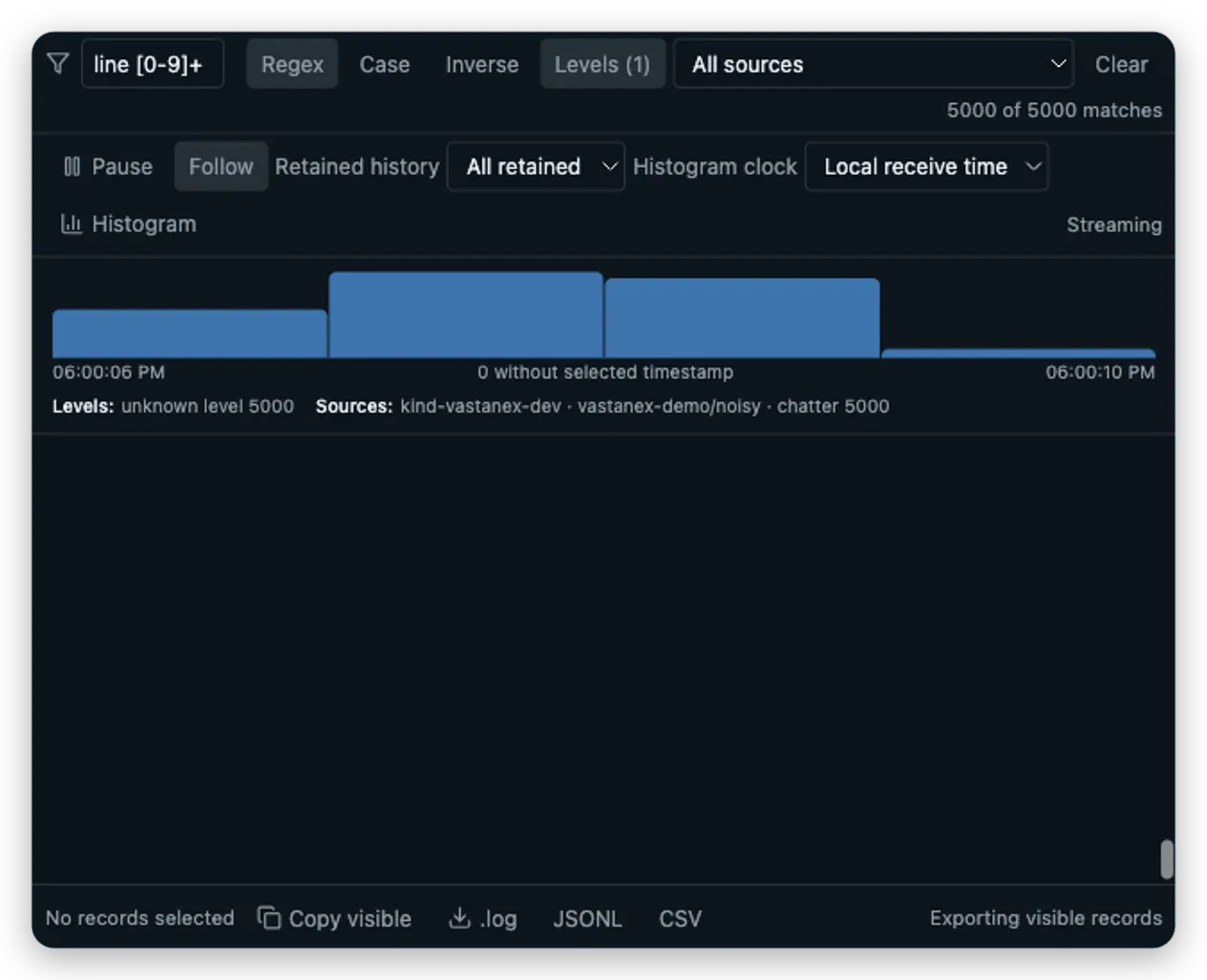
The bounded Log Explorer keeps cluster, namespace, Pod and container source identity beside each
record, with text/regex/level/source filters, Pause versus Follow, a local histogram and .log,
JSONL and CSV export. Metrics are capability-aware. Cost context is optional OpenCost/Kubecost
data; the local fixture has no supported provider, so the honest state is unavailable rather than a
made-up price or saving.
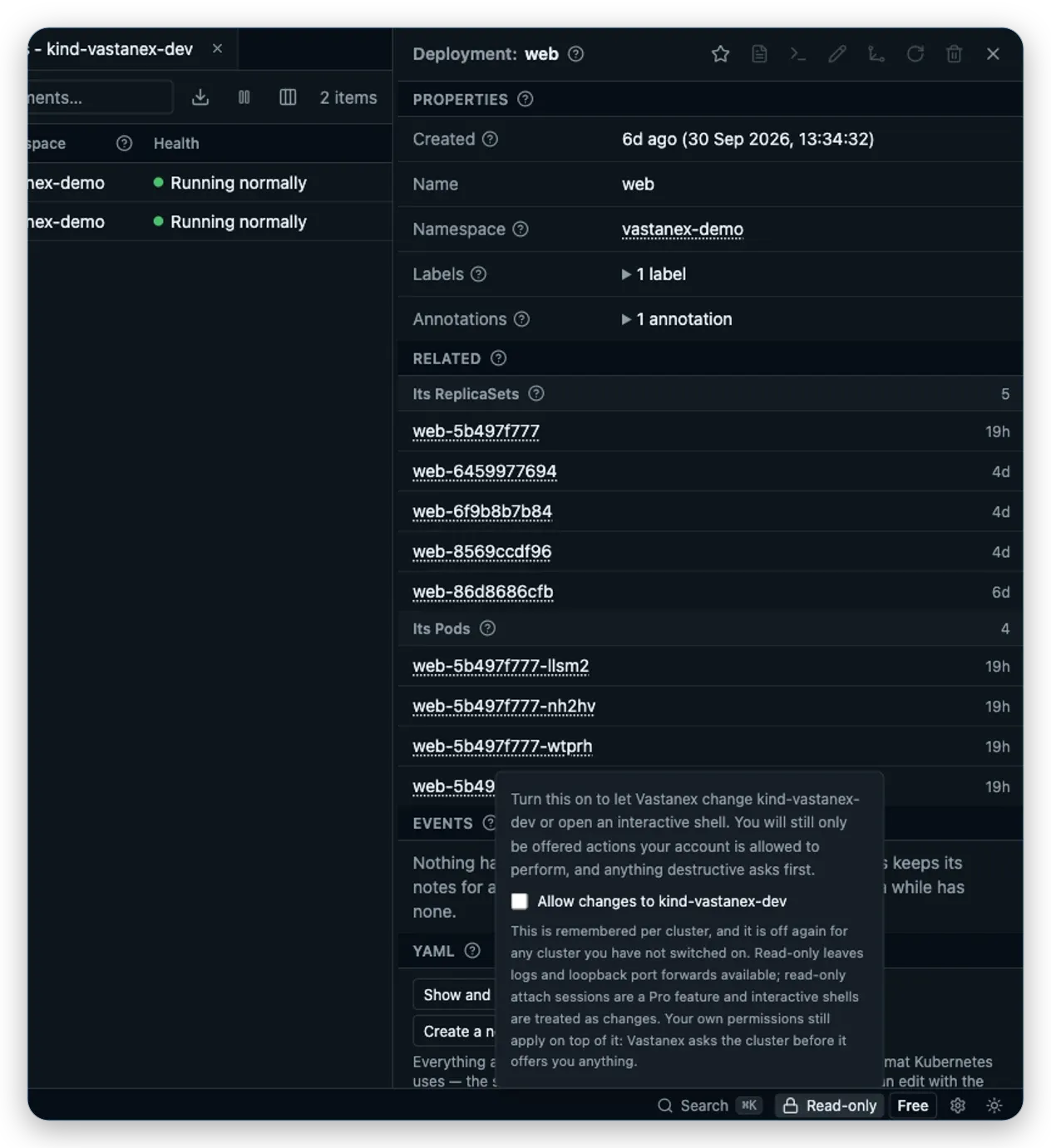
Vastanex also has a deliberately explicit privacy boundary: no automatic telemetry, crash upload or background diagnostics reporting. That does not mean it is the right tool for every team. It does not claim cloud-provider discovery, an in-cluster web deployment, a hosted metrics service or a general resource-diff feature. The verified Stable 1.0.0 release uses the production Live licence issuer and official checkout; Free investigation and the local first-use 14-day no-card trial remain available.
A practical decision
Use this short path instead of trying to crown one winner:
- Need a terminal UI? Start with K9s.
- Need a web or in-cluster deployment option? Inspect Headlamp.
- Need an open-source standalone desktop application in the Open Lens lineage? Inspect Freelens.
- Need a broad GUI with simultaneous clusters, aggregated logs or resource diff? Compare Aptakube with your provider and permission requirements.
- Need the Lens ecosystem, cloud integrations or its premium AI/GitOps surface? Check Lens’s current plan and documentation.
- Need a problem-to-evidence path with an explicit read-only and privacy boundary? Inspect Vastanex’s accepted workflow and its limits.
These are routing questions, not rankings. A tool can be a good fit for one workflow and a poor fit for another. Re-check the official sources below before adopting any product, especially if platform, license, support, price, signing or cluster-provider requirements are part of the decision.
What it does not do
This guide does not rank the candidates, validate customer testimonials, measure speed or usability, audit competitor telemetry, compare security posture, or promise that an advertised feature works in your cluster. It uses official source descriptions for candidate facts and accepted local-kind captures for the Vastanex behavior shown here. The Vastanex captures are not production-cluster evidence, and a missing provider or permission remains missing rather than being filled with an assumption.
Official source register — checked October 6, 2026
- Lens K8S IDE, pricing, documentation and download — product shape, plans, integrations, platform and feature placement.
- Aptakube and pricing — desktop shape, simultaneous clusters, logs, metrics, actions, packages and subscription terms.
- Headlamp, docs and the official repository — desktop/web/in-cluster modes, plugins, RBAC, distribution and Apache 2.0 license.
- K9s repository, license and releases — terminal workflow, platforms, read-only mode, license and distribution.
- Freelens repository and releases — open-source desktop shape, platforms, Open Lens lineage, MIT license and packages.
Read the direct Lens vs Vastanex comparison and Aptakube vs Vastanex comparison for the narrower two-product questions, or start with the Download page to inspect current Vastanex availability.