
Looking at more than one Kubernetes cluster changes the meaning of an object name. A Pod called shared-problem in an east context is not the same object as a Pod with the same name in west. A log line without its source is not an operational shortcut; it is an ambiguity waiting to become the wrong action.
Vastanex keeps that identity attached in its aggregate views. Connect the isolated contexts, open All Clusters Problems, All Clusters Logs or Search, and the result still carries the cluster that supplied it. Aggregate views are read-only, so the comparison surface helps you understand the situation before you navigate to an exact source context.
Compare a problem without merging identities
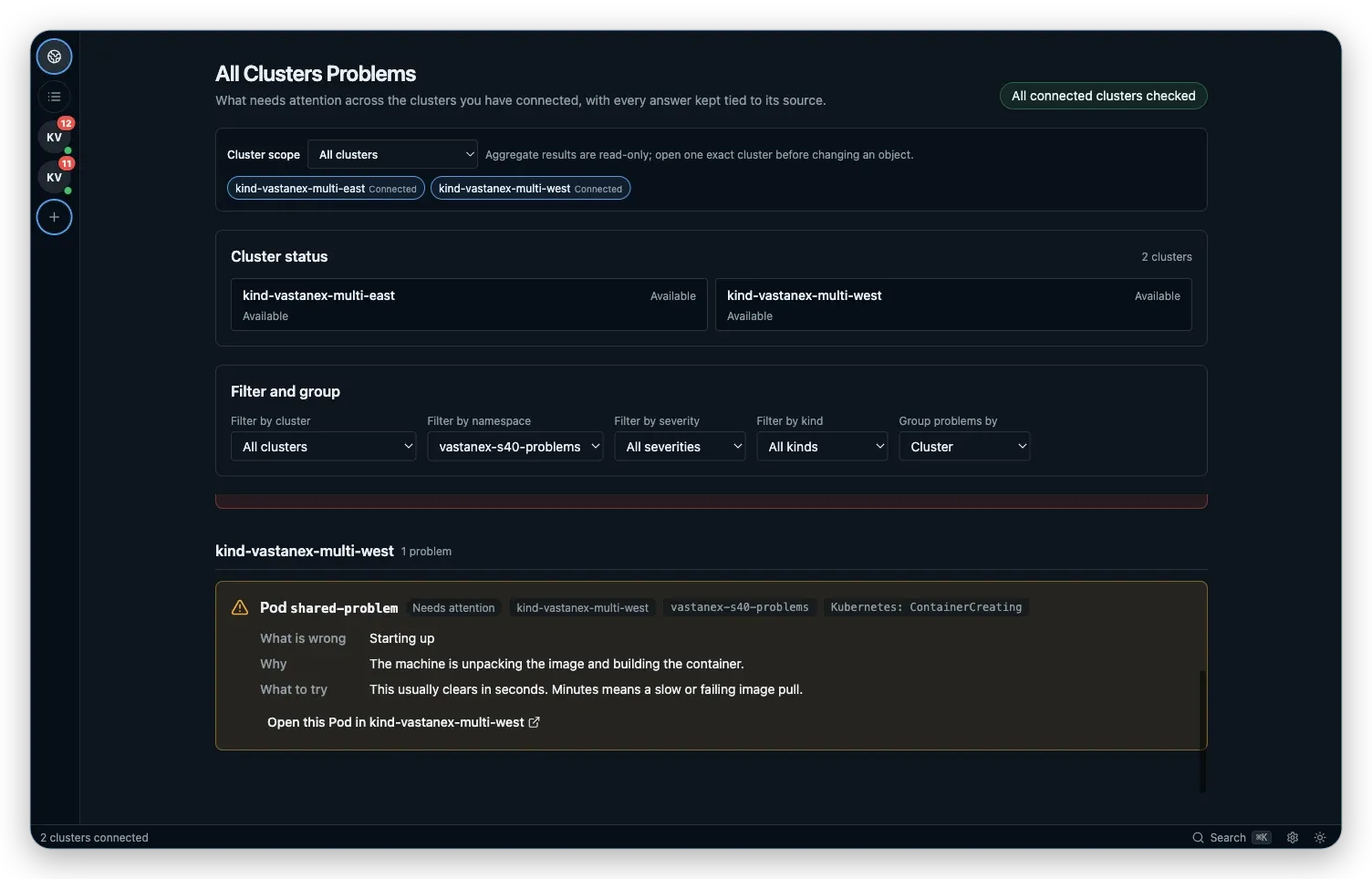
The local example creates a problem with the same name in both contexts. All Clusters Problems places the two results in one bounded list, but the east and west source labels remain visible. The card still has the plain-language problem explanation, severity and suggested next step from the normal Problems surface.
That makes a comparison possible without turning the two clusters into one fictional cluster. You can see that both sources need attention, then choose the exact result you want to inspect. Opening a result selects its source context before the ordinary detail drawer appears, so the next screen does not silently switch to a similarly named object elsewhere.
The aggregate list also preserves incomplete truth. A disconnected or partially readable source is not converted into a reassuring zero. The source marker and availability message tell you which part of the comparison is current and which part needs a reconnect or a permission check.
Make scope explicit
The Cluster scope selector is a visible choice. Keep the aggregate scope when you want to compare both sources, or select one context when you need to reduce the list. The source chips stay close to the selector, so the selected scope and the available inputs are legible in the same proof region.

This is a navigation and diagnosis boundary, not a hidden write target. Product actions need an exact source context. Aggregate results do not guess which cluster should receive a change, and the aggregate surface does not offer an implicit bulk action across sources.
Follow source-labelled logs
Problems answer what needs attention. All Clusters Logs helps compare the live evidence. Choose a source through the cascading Cluster, Namespace, Pod and container fields. The picker narrows each next choice to the previous one, keeping a same-named Pod tied to the context you selected.
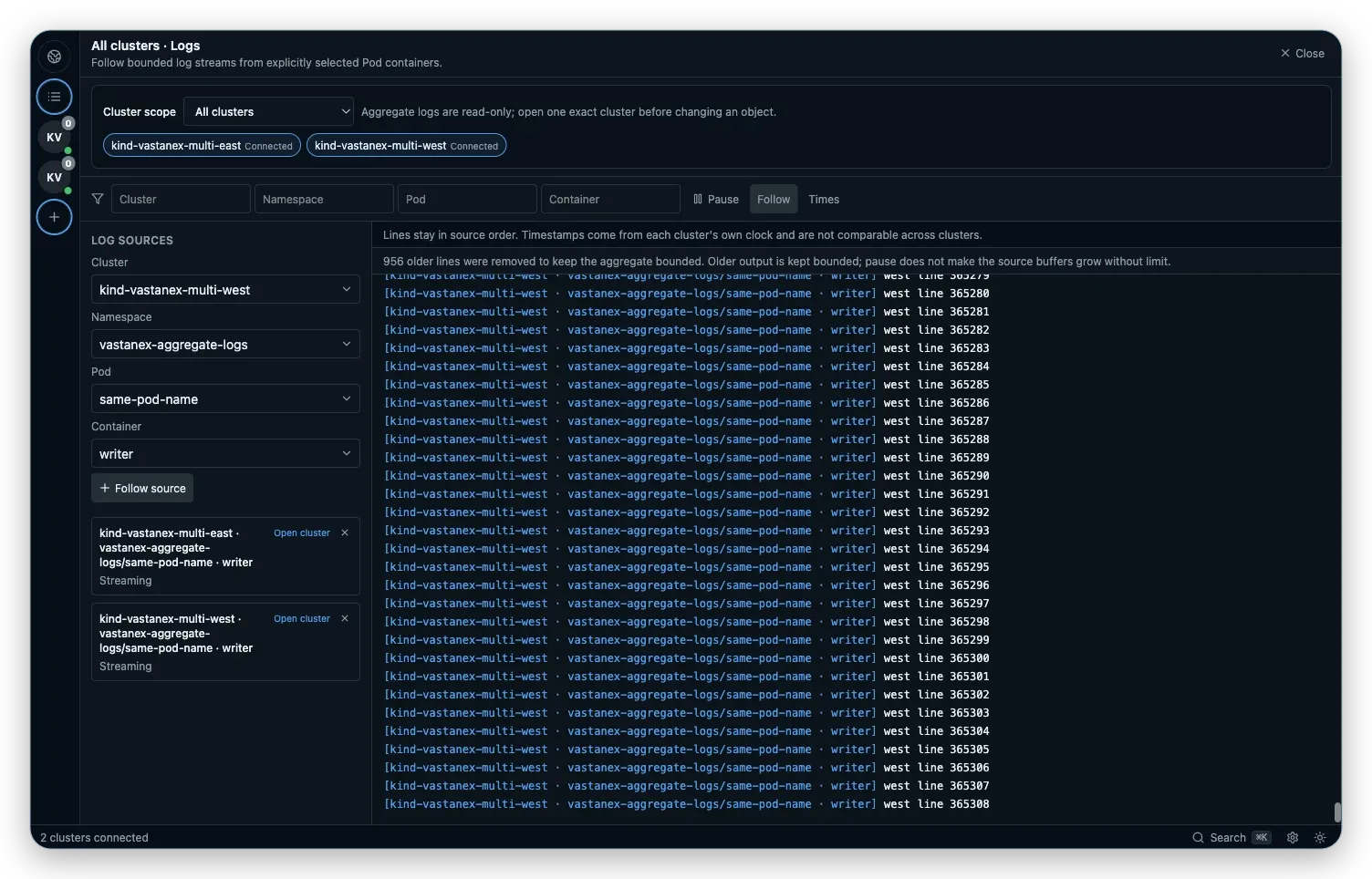
The aggregate log view keeps bounded streams, source labels, Pause and follow controls, and a note that source clocks are not comparable. That last warning is easy to overlook and important to keep: a line from east and a line from west can be ordered by source, but the UI should not imply that their timestamps form one trustworthy timeline.
The app can use an exact typed namespace, Pod or container when discovery is restricted. Typing a value is a way to reach something you already know, not proof that the picker discovered every value. The same permission and reconnect explanations apply to each source.
What it does not do
The multi-cluster surface is not a fleet manager, a global Kubernetes API or a merged object cache. It does not make clocks comparable, hide a disconnected source or let an aggregate result choose a write target. It also does not claim that two same-named objects are related.
The example uses isolated local fixtures, not production clusters. Logs are bounded and source-stable, and the aggregate views remain read-only. For a change, navigate to one exact context and use the normal read-only, RBAC and confirmation gates there.
Start with the Download page to see the current desktop availability, then follow a single source from a Problem to its evidence or inspect live logs in one cluster.